
Looking for simple work-from-home jobs? Discover real WFH jobs you can do using only Google Docs and email—no tech skills required. Practical roles, real insights, myths vs reality, mistakes to avoid, FAQs, and a clear action plan for 2026.
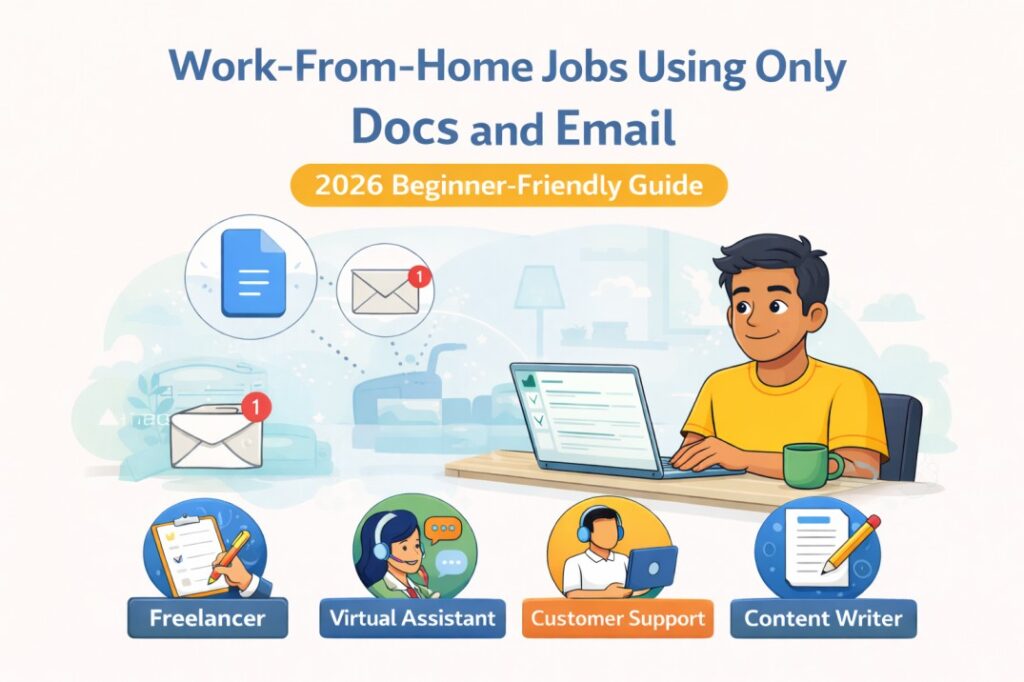
Work-From-Home Jobs Using Only Google Docs and Email (2026 Guide)
When people hear “work-from-home jobs,” they often imagine:
- Advanced software
- Complex tools
- Technical skills
- High-pressure freelancing platforms
That scares many beginners away.
But here’s a truth most job portals don’t highlight:
There are legitimate work-from-home jobs that require nothing more than Google Docs and email.
No coding.
No paid tools.
No technical background.
If you can:
- Type clearly
- Organize information
- Communicate through email
You already have the basic setup.
This article will show you:
- Real WFH jobs that run on Google Docs + email
- What the work actually looks like
- Skills needed (very basic)
- Myths vs reality
- Common mistakes
- FAQs
- A practical starting plan
This is especially useful for:
- Students
- Freshers
- Housewives
- Career returners
- Beginners with low confidence
Why Simple WFH Jobs Are Growing in 2026
Companies are overwhelmed with:
- Content
- Data
- Emails
- Documentation
- Coordination work
Automation helps—but human review, organization, and clarity are still required.
That’s where simple document-based roles come in.
These jobs exist because:
- Businesses want low-cost, flexible support
- Remote documentation work is scalable
- Not all tasks need advanced tools
The Biggest Misunderstanding About WFH Jobs
Many people think:
❌ “WFH jobs = freelancing + pressure”
❌ “You need many tools to work remotely”
❌ “Only tech people get WFH jobs”
Reality:
✅ Many entry-level WFH jobs are process-driven, not technical
✅ Google Docs and email are enough
✅ Reliability matters more than expertise
Real Work-From-Home Jobs Using Only Google Docs and Email
1. Content Assistant / Content Support Executive
This is not content writing.
Work includes:
- Formatting documents
- Proofreading basic content
- Organizing articles in Google Docs
- Updating content as per instructions
- Email coordination with editors
Skills needed:
- Basic English
- Attention to detail
- Following instructions
This is one of the most common beginner WFH roles.
If you want to grow from here, read:
👉 Must-Have Job Skills for Freshers
2. Email Support / Back-End Support Executive
This role does NOT involve calls.
Work includes:
- Replying to customer emails using templates
- Escalating issues through email
- Updating responses in Google Docs
- Maintaining simple logs
Why companies hire for this:
- Email support is cheaper than call centers
- Time-zone flexibility
- Written clarity matters more than speaking
Skills needed:
- Clear written communication
- Patience
- Consistency
3. Virtual Assistant (Basic Level)
Many people overestimate this role.
At beginner level, work includes:
- Managing Google Docs
- Updating trackers
- Sending follow-up emails
- Scheduling tasks via email instructions
- Maintaining simple records
You do NOT need:
- Social media management
- Complex tools
- Client-facing confidence (initially)
Virtual assistant work grows with experience.
4. Data Updating & Documentation Executive
This is not heavy data analysis.
Work includes:
- Updating spreadsheets in Google Docs
- Copy-pasting verified information
- Organizing reports
- Maintaining documentation files
- Email-based updates
These roles exist in:
- EdTech
- HR firms
- Small companies
- Online service providers
Accuracy matters more than speed.
5. Online Research & Information Assistant
Work includes:
- Searching information online
- Summarizing findings in Google Docs
- Sharing updates through email
- Organizing links and references
This role suits people who:
- Like reading
- Can summarize clearly
- Are patient with repetitive work
This role often leads to better research or analyst positions later.
Comparison Table: Simple WFH Jobs vs Typical Online Gigs
| Aspect | Google Docs + Email Jobs | Freelancing Gigs |
|---|---|---|
| Tools needed | Very basic | Multiple tools |
| Pressure | Low to moderate | High |
| Learning curve | Easy | Steep |
| Stability | More consistent | Unpredictable |
| Beginner-friendly | Yes | Not always |
Myth vs Reality: Work-From-Home Jobs
| Myth | Reality |
|---|---|
| WFH jobs are scams | Many are legitimate |
| Skills must be advanced | Basics are enough |
| Only full-time possible | Part-time & contract exist |
| Growth is limited | Growth depends on consistency |
Common Mistakes Beginners Make
❌ Searching only on social media
❌ Expecting high salary immediately
❌ Ignoring email writing quality
❌ Applying without a basic resume
❌ Falling for “registration fee” scams
Legitimate jobs never ask for money.
If you’re applying as a beginner, fix your resume first:
👉 Simple Resume Format for Freshers
What Employers Actually Look for in These Roles
They don’t expect expertise.
They look for:
- Reliability
- Clear written communication
- Ability to follow instructions
- Basic digital comfort
- Consistency
If you respond professionally over email, you already stand out.
Editor’s Pick: The Truth About Simple WFH Jobs
“Simple jobs are not dead-end jobs—they are entry points.”
Many people build long-term remote careers by:
- Starting small
- Learning on the job
- Becoming dependable
Growth comes after trust.
How to Prepare in 7 Days (Practical Plan)
Day 1–2
- Learn Google Docs basics
- Practice formatting and commenting
Day 3–4
- Improve email writing clarity
- Practice professional replies
Day 5
- Create a simple resume
Day 6
- Apply to entry-level WFH roles
Day 7
- Follow up via email professionally
This habit-based approach helps long-term growth:
👉 Simple Self-Learning Tips for Beginners
FAQs: Work-From-Home Jobs Using Google Docs & Email
1. Are these jobs real or temporary?
Many are long-term contract or full-time roles.
2. How much can beginners earn?
Entry-level pay is modest but stable and grows with experience.
3. Do I need a laptop?
Yes, a laptop or desktop is strongly recommended.
4. Is English fluency mandatory?
Clear written English is enough—perfection is not required.
5. Can students do these jobs?
Yes, especially part-time roles.
6. Are these jobs safe for beginners?
Yes, if you apply through verified platforms and companies.
7. Can these roles lead to better careers?
Absolutely. Many people move into operations, HR, or content roles.
Final Words: Simple Does Not Mean Useless
Don’t underestimate simple tools.
Google Docs and email:
- Power global teams
- Run real businesses
- Create real careers
You don’t need to wait until you “learn everything.”
You need to:
- Start responsibly
- Work consistently
- Learn while earning
Strong CTA (Next Step)
If you’re serious about remote work, read this next:
👉 How to Start Remote Work With Zero Skills (2026 Guide)
Start small.
Start simple.
But start now.
Personal Experience
“While researching careers and speaking with recruiters, I noticed that many professionals succeed not because they followed a perfect plan, but because they kept learning and adapting. Small skills and consistent effort often mattered more than degrees or early decisions.”
References
- World Economic Forum – Future of Jobs Report
https://www.weforum.org/reports/the-future-of-jobs-report- NASSCOM Future Skills Report
https://nasscom.in/knowledge-center- LinkedIn Workforce Learning Report
https://www.linkedin.com/business/talent/blog- Economic Times – Jobs & Careers Section
https://economictimes.indiatimes.com/jobs- Investopedia – Career Development Resources
https://www.investopedia.com/careers-4689740